
The Boring Tools That Save Freelancers the Most Time at Year-End
Year-end is brutal for freelancers.
Filing invoices, tracking down receipts, organizing tax forms…the weeks leading up to year end can devour billable time quicker than anything else. And get this… the majority of solopreneurs still handle everything by hand.
The great news? Some boring, unsexy tools exist that can save you hours of admin each week. No-one blogs about them because they're not sexy. Quite the opposite.
Here is the deconstruction of tools that really matter for freelancer productivity at year-end.
Quick roadmap:
Why Year-End Wrecks Freelancer Productivity
The Boring Tools That Save The Most Time
How To Bundle Them Into A Solopreneur Workflow
Small Habits That Multiply The Savings
Why Year-End Wrecks Freelancer Productivity
Year-end admin is the silent killer of freelancer productivity.
In a recent freelancer survey, 46% of freelancers spend around 5 hours per week on tasks that get them no closer to doing their actual work: accounting, client admin, etc. An entire work day every week wasted.
Wait, now layer tax season on top of that and the numbers go downhill from there. FreshBooks says 32% of self-employed workers spend 3-5 hours filing their business taxes. This doesn't even account for weeks of scrambling for receipts and chasing down 10-99s/reconciling invoices beforehand.
The challenge is straightforward: Time spent on admin is time not spent making money. If a solopreneur workflow is going to work when the year ends, the boring tasks need to be automated (or at least made efficient) with the proper tax forms software, invoicing app, and expense tracker doing most of the work for you. Quality tax forms software will prepare your W-2s and 1099s in minutes instead of taking an entire weekend like most freelancers experience.
So what? Streamlining your year-end process allows you to save precious time AND protect your revenue from fines and start the new year squeaky clean.
The Boring Tools That Save The Most Time
No one will tweet or blog about these apps. But each and every one will free up serious hours come December and January.
Here's the breakdown.
Tax Forms Software
This is the single biggest time saver at year-end.
If you pay contractors, subcontractors or virtual assistants you are required to send them 1099-NEC forms by January 31. If you pay any payroll help you also have W-2's due that week. Very painful to do by hand.
Tax Forms Software Handles All of it in One Place:
Imports payment data straight from your accounting tool
Auto-fills 1099-NEC, 1099-MISC, and W-2 forms
Files electronically with the IRS
Sends copies to your contractors
Keeps records for the required retention period
The coolest thing? Most charge a flat annual fee and pay for themselves the first time you use them.
Cloud Accounting Software
QuickBooks Self-Employed, FreshBooks, Wave – Cloud accounting tools should be at the centre of every good solopreneur workflow.
They automatically:
Categorise income and expenses
Track mileage
Estimate quarterly taxes
Generate profit and loss reports
A good accounting tool at year-end shouldn't have you pouring over 12 months worth of bank statements. You simply export a report. Simple.
Receipt & Expense Trackers
Receipts quickly become overwhelming. Nothing kills freelancer productivity like digging through a shoebox full of receipts come January.
Services like Expensify, Dext, Shoeboxed allow you to take a picture of any receipt and have the data pulled into the app automatically. Vendor, amount, date, category ...all using OCR.
Then it syncs to your accounting software.
Meaning: No lost receipts. No missed deductions. No hours wasted on data entry.
Invoicing & Payment Reminders
Collecting late payments. Another task that sucks at year-end. Automated invoicing solutions take zero effort from you.
The best ones let you:
Send scheduled invoices
Trigger automatic payment reminders
Accept card, ACH, and digital wallet payments
Flag overdue accounts
That ONE feature alone (automatic reminders) is priceless. When clients pay on time, you don't find yourself randomly checking in November and December.
Time Tracking Software
Time tracking is tedious, which is why you should do it. It's one of the fundamentals of any successful freelancer productivity routine.
Time tracking tools like Toggl, Harvest, and Clockify allow you to track hours worked by project and client. When December 31 rolls around, that data can be used for:
Proof of billable hours for your invoicing
Insight into which clients are actually profitable
A record for tax purposes if you claim a home office
Data that will give solopreneurs the confidence to increase their rates this upcoming year.
How To Bundle Them Into A Solopreneur Workflow
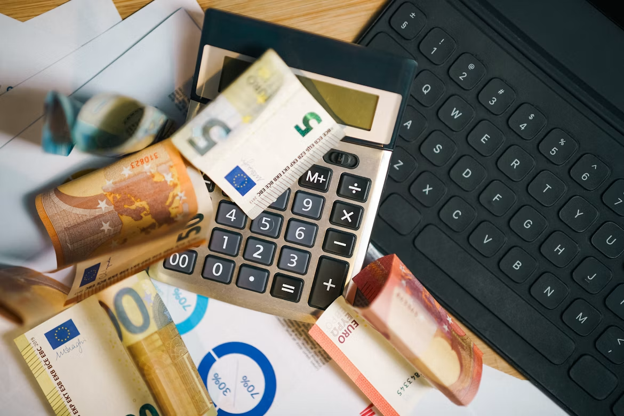
Individually these tools are useful. Bundled together they're a game changer.
Here's the setup most productive freelancers use:
Accounting software as the central hub
Expense tracker feeding receipts into it
Invoicing tool pushing paid invoices in
Time tracker syncing billable hours
Tax forms software pulling from all of the above at year-end
The magic is that data automatically flows between tools. There's no copy/pasting. No spreadsheet exporting. No manual reconciling.
When set up properly, year-end goes from a two-week ordeal to a two-hour task.
Pro tip: Verify your integrations prior to December. There's nothing more frustrating than realizing your expense tracker doesn't integrate with your accounting software on January 15th.
Small Habits That Multiply The Savings
Tools automate the work. But little systems make them powerful.
Weekly 30-Minute Admin Block
Block off 30 minutes each week for admin. File transactions, snap receipts, follow up late invoices.
If you do this every week, year-end is breeze. If you don't, January is crazy time.
Separate Business Bank Account
Every freelancer who has personal and business transactions in the same account is shooting themselves in the foot come year-end.
Using a separate business account keeps expenses clean. It also bulletproofs your tax deductions against IRS inquiries.
Quarterly Tax Estimates
Quarterly estimated taxes for self-employed workers are paid four times per year. There are penalties for not paying them on time.
Reminder: remind yourself every April 15th, June 15th, September 15th and January 15th. Most accounting programs will do this for you automatically.
Backup Everything
Keep copies of tax forms, receipts and invoices in online/cloud storage. Google Drive, DropBox or OneDrive are all great.
One of your worst-case scenarios when freelancing is losing records right before an audit. Backups prevent that from happening.
Bringing It Home
Year-end doesn't have to be chaos.
Find the perfect blend of tax forms software, accounting software, receipt trackers, invoicing platforms and time trackers and you'll cut weeks of admin down to hours of light work. The benefits to freelancer productivity? Huge.
To quickly recap:
Year-end wrecks productivity because admin piles up
Tax forms software handles 1099s and W-2s in minutes
Accounting, invoicing, and expense tools should all talk to each other
Small weekly habits multiply the time savings
A separate business bank account and quarterly tax reminders round it out
No one chooses freelancing for the paperwork. Creating a rock-solid solopreneur workflow with these dry tools is what enables the fun stuff.



















Share in the comments below: Questions go here
Ensure your business runs smoothly with our expert strategies to maximize uptime and eliminate delays. Discover how to enhance efficiency today!