
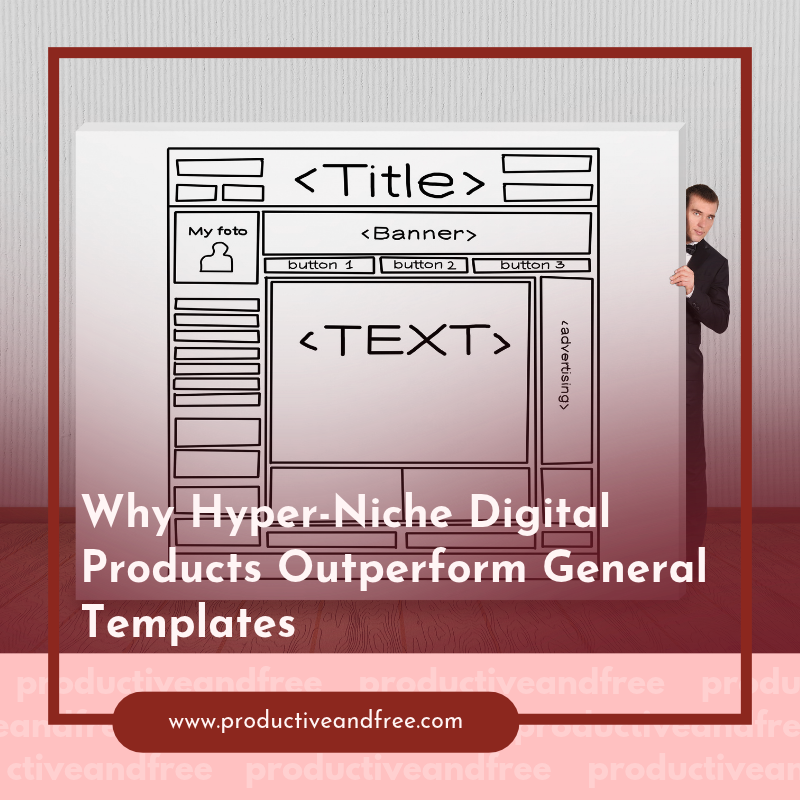
Generic templates promise a large market, but that broad reach often produces a weak reason to buy. A freelancer can find hundreds of project planners, while a laboratory manager may struggle to find one purchasing worksheet that reflects how specialized equipment is evaluated. Hyper-niche digital products close that gap with familiar language, useful fields and workflows built around a specific job.
This focus can support higher prices and clearer marketing. It also gives creators a practical advantage: every feature can solve a documented problem for a recognizable group of users.

The Trap of Broad Audience Templates
A general template usually starts with the largest possible category, such as a planner for small businesses or a dashboard for freelancers. The creator removes industry terms to keep the product flexible. Soon, the template contains little more than a task list, calendar and notes page that buyers could build themselves in an hour.
Broad positioning also makes discovery harder. A search for “business template” puts an independent creator in competition with established software companies, large marketplaces and thousands of inexpensive downloads. Current lists of trending digital products show how crowded popular formats have become. Changing the colors or adding extra pages won’t create a meaningful distinction when the underlying tool still serves everyone in roughly the same way.
Start with a narrower user and event. “Consultant template” can become “client onboarding system for executive coaches.” “Inventory spreadsheet” can become “batch and reorder tracker for handmade soap studios.” The second version of each idea points to a defined problem, vocabulary and buying moment.
A focused product also makes the sales page easier to write. You can name the documents users need, the mistakes they encounter and the outcome they want. Resources on hyper-niche targeting highlight the value of addressing an ultra-specific audience. That principle applies directly to templates: precise relevance often carries more weight than a long feature list.
Before designing, write one sentence that identifies the user, task and trigger. For example: “This workbook helps independent coaches prepare client materials after a discovery call.” If the sentence requires words such as “anyone” or “all businesses,” the concept probably needs another round of narrowing.
High Value in Specialized Industries
Specialized industries often attach significant costs to missing information. A vague comparison sheet might be inconvenient for a casual purchase, but it can create weeks of extra work when a team is comparing technical systems, service agreements and operating expenses. A niche digital product earns its value by putting the right questions in front of users before commitments are made.
Consider a laboratory procurement workbook. Researchers working with flow cytometers may need to compare configuration factors, installation, service, reagents and alternatives such as leasing or using a shared facility. A generic equipment budget records the quoted price but misses the variables that shape total cost and research fit. A specialized workbook could give every expense its own field, identify assumptions and create a consistent comparison across several options.
That structure saves more than typing time. It helps a team prepare for vendor discussions, document why one option suits its work and spot expenses that haven’t appeared in an initial quote. The creator can charge based on that practical value, especially when the product prevents a costly oversight or shortens a multi-person review.
Look for niches where buyers manage expensive decisions, repeated compliance tasks or detailed handoffs. Reports on low-competition product niches can provide ideas, but direct user evidence should guide the final choice. Read professional forums, interview three to five practitioners and review the forms they already maintain.
Accuracy matters in these markets. Label editable assumptions, date technical references and ask an experienced practitioner to review the draft. Clear limits also build trust. Tell buyers what the product organizes and which judgments still require qualified internal or external advice.
Mapping Out Technical Client Workflows
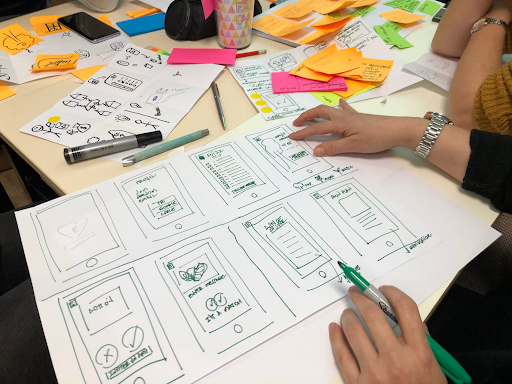
A strong niche template mirrors the order in which work happens. Start by interviewing someone who performs the process, then map the workflow from the first request to the final handoff. Ask what information arrives at each stage, who reviews it, where delays occur and what must be saved for later.
Suppose you’re building an onboarding system for a coach. The workflow might begin with an inquiry, move through a fit call and agreement, then continue into intake, session preparation and follow-up. A useful product would connect those stages through a contact record, intake form, call notes and follow-up schedule. The client experience templates offer a relevant example of packaging documents around a defined professional relationship instead of selling disconnected pages.
For a more technical service, the sequence may include conditional paths. A consultant could collect project requirements, assess data quality and request missing files before scheduling analysis. Your template should show those dependencies. Dropdowns, required-field markers and status labels can make them visible without forcing users to read a lengthy manual.
Document the workflow in plain text before choosing an app. List each stage and answer four questions:
What starts this stage?
What information must be captured?
Who needs to review or approve it?
What output signals completion?
This exercise exposes unnecessary pages early. If a field doesn’t support a decision, handoff or record, remove it. If users repeatedly copy the same detail between pages, create a linked source field or a clear reference point.
Guides to choosing a product niche often emphasize demand and competition. Workflow access deserves equal attention. A promising audience won’t lead to a credible product if you can’t observe its real process, understand its terms or test the result with practitioners.
Packaging Complex Data Visually
Niche buyers rarely need more data. They need a clearer way to interpret the data they already collect. Visual design should expose priorities, exceptions and next actions without hiding the original figures.
Choose the display according to the decision. A comparison matrix works well when users must review several options against fixed criteria. A timeline reveals delays and dependencies. A dashboard can track a small set of changing measures, while a decision tree helps people follow conditional steps. Adding charts simply because the software supports them creates clutter and can make an otherwise practical product feel harder to use.
Imagine a procurement comparison containing 40 fields. Placing every detail on one dashboard would overwhelm the reader. A better package might include a one-page summary with purchase price, estimated recurring costs, lead time and support term. Separate tabs could hold detailed specifications, assumptions and source notes. Color can flag missing entries or values outside a chosen range, but labels should communicate the same meaning for users who can’t easily distinguish colors.
Build the visual hierarchy around three levels. First, show the decision or current status. Next, present the few measures that explain it. Keep raw inputs and supporting notes available on a detail page. This arrangement lets a department lead scan the summary while the person conducting the evaluation can still check each figure.
Instructions should stay close to the fields they explain. Use a short example entry, specify units and clarify whether users should enter a one-time or recurring cost. Lock formula cells where the format permits it and include an untouched master file so buyers can recover from editing mistakes.
Test the finished product with realistic data, including blanks and unusually long entries. Then ask a practitioner to complete one full task without coaching. Watch for pauses, skipped fields and questions. Those moments reveal where headings, prompts or visual cues need work.
A hyper-niche product earns repeat use when it feels like part of the buyer’s existing process. The best final check is specific: open the template at the moment of decision and confirm that the next required action is visible within a few seconds. If users have to interpret the tool before they can use it, the niche may be clear but the product still needs refinement.


























Share in the comments below: Questions go here

See the operational blind spots that can slow fast-growing product brands, from inventory and fulfillment to team workflows—and what to improve first.